Harvey, Greg Author
Biography not available.

Browse all ART CRITICISM books
Browse all Ashworth books
Browse all FOLKLORE books
Browse all GARDENS books
Browse all GRAPHIC NOVELS books
Browse all Hamilton books
Browse all HISTORY - MEDIEVAL books
Browse all HUMOUR books
Browse all Juvenile Fiction : Biographical - Other books
Browse all Juvenile Fiction : Historical - Other books
Browse all Juvenile Fiction : Legends, Myths, & Fables - Other books
Browse all Juvenile Fiction : People & Places - Other books
Browse all Juvenile Fiction : People & Places - United States - Other books
Browse all Juvenile Fiction : Religious - Other books
Browse all Juvenile Nonfiction : History - Other books
Browse all Juvenile Nonfiction : Mathematics - Advanced books
Browse all Juvenile Nonfiction : People & Places - Other books
Browse all Juvenile Nonfiction : People & Places - United States - Othe books
Browse all KINDRED books
Browse all LITERARY STUDIES books
Browse all LONDON books
Browse all Lozada books
Browse all Medical : Nursing - Mental Health books
Browse all MIND books
Browse all MUSEOLOGY books
Browse all NON-CLASSIFIABLE books
Browse all NONLINEAR SCIENCE books
Browse all Ormonde books
Browse all POPULAR SCIENCE books
Browse all RELIGIOUS STUDIES books
Browse all SPIRIT books
Browse all SPORT books
Browse all TRAVEL WRITING books
 Out of Stock
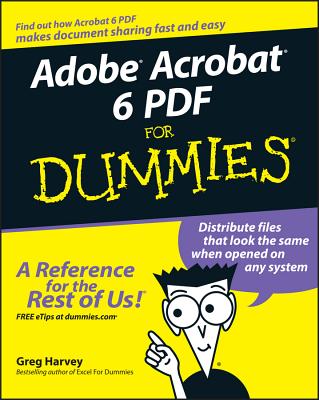
ADOBE ACROBAT 6 PDF FOR DUMMIE
Paperback · ISBN 9780764537608
Inclusive of GST and other taxes
Arriving at your doorstep in 10-15 days
Our logisitcs team will make sure everyitem is delivered safely
| ISBN | 9780764537608 |
|---|---|
| Subtitle | ADOBE ACROBAT 6 PDF FOR DUMMIE |
| Publisher | John Wiley & Sons |
| Publication date | June 2013 |
| Language | English |
| MRP | £19.99 GBP |
| Page count | 412 |
| Item weight | 156 g |
Learn to use Adobe Acrobat and read, write, and manage PDF documents like a pro
You can convert any document to PDF, a universal file format, preserving all the fonts, formatting, graphics, and color of the source document -- regardless of the application and platform used to create it -- making it super easy to share documents electronically or after printing them. If you need to convert paper documents into PDF files, save graphics as PDFs, create PDF form files (that others can use to submit data), or create and publish PDF files as ebooks, Adobe Acrobat 6 For Dummies can help -- no experience with Adobe Acrobat or PDF files is required.
You can publish and distribute PDF files anywhere: in print, attached to email, on corporate servers, and posted on websites. Professionals in sales, web design, marketing, and public relations alike -- and anyone who needs to read, write, edit, or otherwise manipulate PDF documents -- will benefit from this no-nonsense and comprehensive guide written in plain English. You'll discover how to
With your own copy of Adobe Acrobat 6 For Dummies, you can learn how to do all of that, find the best third-party Acrobat plug-ins to try, peruse helpful online resources, and more!
Log in to write a review for this book.
No reviews yet. Be the first to share your opinion.
Biography not available.