Elhaj, Richard Author
Biography not available.

Browse all FOLKLORE books
Browse all GARDENS books
Browse all GRAPHIC NOVELS books
Browse all HISTORY - MEDIEVAL books
Browse all HUMOUR books
Browse all Juvenile Fiction : Biographical - Other books
Browse all Juvenile Fiction : Historical - Other books
Browse all Juvenile Fiction : Legends, Myths, & Fables - Other books
Browse all Juvenile Fiction : People & Places - Other books
Browse all Juvenile Fiction : People & Places - United States - Other books
Browse all Juvenile Fiction : Religious - Other books
Browse all Juvenile Nonfiction : History - Other books
Browse all Juvenile Nonfiction : Mathematics - Advanced books
Browse all Juvenile Nonfiction : People & Places - Other books
Browse all Juvenile Nonfiction : People & Places - United States - Othe books
Browse all LITERARY STUDIES books
Browse all LONDON books
Browse all Medical : Nursing - Mental Health books
Browse all MIND books
Browse all MUSEOLOGY books
Browse all NON-CLASSIFIABLE books
Browse all NONLINEAR SCIENCE books
Browse all POPULAR SCIENCE books
Browse all RELIGIOUS STUDIES books
Browse all SPIRIT books
Browse all SPORT books
Browse all TRAVEL WRITING books
 Out of Stock
Paperback · ISBN 9781923898127
Inclusive of GST and other taxes
Arriving at your doorstep in 10-15 days
Our logisitcs team will make sure everyitem is delivered safely
| ISBN | 9781923898127 |
|---|---|
| Publisher | RE Media |
| Publication date | September 2026 |
| Language | English |
| MRP | £14.35 GBP |
| Page count | 182 |
| Item weight | 96 g |
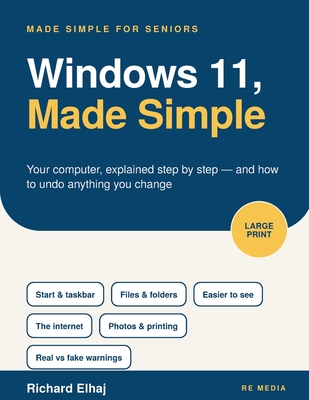
Most guides to Windows list features and assume you already know where things are. What actually stops people using a computer is rarely the computer itself. It is the fear of pressing the wrong button and breaking something, with no idea how to put it back. This book explains where things are, why they are there, and how to undo every change it teaches, so that fear has nothing left to stand on.
Inside this book:
Find your way around the desktop, the taskbar and the Start menu Make the screen bigger, clearer and louder in around ten minutes Understand where files actually go, and find any of them in seconds Save a document on purpose, and recover one that seems to have vanished Use the internet and email without collecting toolbars and pop-ups Get photographs off a phone, tidy them, and print them Keep the computer updated and backed up without a second thought Tell a genuine Windows message from a fake one, and never ring the number on it Ask for help in the right place when something misbehaves
The type is set in a genuinely large, 14.5-point size, every setting change comes with the way back, and nothing is left in jargon without a plain explanation. It is written for an adult learning their own computer, not a list of features aimed at someone half their age.
Nothing in this book can break your computer, and everything in it can be undone.
Log in to write a review for this book.
No reviews yet. Be the first to share your opinion.
Biography not available.