Whitlock, Joanna E. Author
Biography not available.

Browse all FOLKLORE books
Browse all GARDENS books
Browse all GRAPHIC NOVELS books
Browse all HISTORY - MEDIEVAL books
Browse all HUMOUR books
Browse all Juvenile Fiction : Biographical - Other books
Browse all Juvenile Fiction : Historical - Other books
Browse all Juvenile Fiction : Legends, Myths, & Fables - Other books
Browse all Juvenile Fiction : People & Places - Other books
Browse all Juvenile Fiction : People & Places - United States - Other books
Browse all Juvenile Fiction : Religious - Other books
Browse all Juvenile Nonfiction : History - Other books
Browse all Juvenile Nonfiction : Mathematics - Advanced books
Browse all Juvenile Nonfiction : People & Places - Other books
Browse all Juvenile Nonfiction : People & Places - United States - Othe books
Browse all LITERARY STUDIES books
Browse all LONDON books
Browse all Medical : Nursing - Mental Health books
Browse all MIND books
Browse all MUSEOLOGY books
Browse all NON-CLASSIFIABLE books
Browse all NONLINEAR SCIENCE books
Browse all POPULAR SCIENCE books
Browse all RELIGIOUS STUDIES books
Browse all SPIRIT books
Browse all SPORT books
Browse all TRAVEL WRITING books
 Out of Stock
Paperback · ISBN 9798171151607
Inclusive of GST and other taxes
Arriving at your doorstep in 10-15 days
Our logisitcs team will make sure everyitem is delivered safely
| ISBN | 9798171151607 |
|---|---|
| Publisher | Independently published |
| Publication date | September 2026 |
| Language | English |
| MRP | £14.75 GBP |
| Page count | 154 |
| Item weight | 83 g |
A virtual machine can solve one compatibility problem and quietly create several others.
Give it too many resources and macOS suffers. Give it too little and the guest system struggles. Share everything without thinking and the boundary between systems become unnecessarily loose. Change a major configuration without a recovery point and one experiment can become an afternoon of rebuilding.
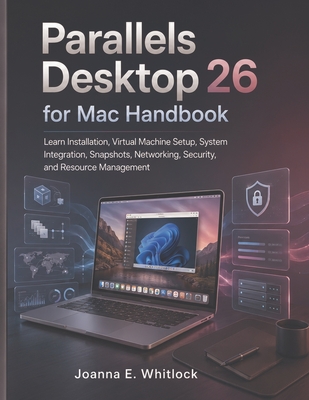
Parallels Desktop 26 for Mac Handbook is about getting those decisions right.
Instead of treating virtualization as little more than installing another operating system and clicking Start, this practical handbook shows you how to build, integrate, protect, and manage virtual machines that remain useful after the first successful launch.
You'll move from installation and initial VM creation into the choices that determine how comfortably the host and guest systems live together: files, applications, devices, networking, recovery, storage, memory, processors, and security.
Inside this handbook, you'll learn how to:The book also helps you think beyond the moment when Windows or another guest operating system finally appears on the screen.
A useful VM has to coexist with the Mac running underneath it.
That means understanding what happens when a guest consumes more memory, when its virtual disk grows, when applications need access to Mac files, when networking requirements change, or when you want to test something without putting a working environment at unnecessary risk.
Parallels Desktop 26 also introduced changes specifically relevant to current Mac environments, including support for macOS Tahoe 26 and improved awareness of available Mac disk space from within Windows virtual machines.
Whether you need Windows-only business software, an additional operating system for learning, a controlled environment for testing, or simply a practical way to keep different computing requirements on one Mac, this handbook is designed to help you build a setup that remains understandable and manageable.
Don't judge a virtual machine by whether it starts. Build one you know how to recover, tune, connect, protect, and maintain. Get Parallels Desktop 26 for Mac Handbook and make virtualization part of your workflow-not another system you have to fight.
Log in to write a review for this book.
No reviews yet. Be the first to share your opinion.
Biography not available.