Mercer, Holloway Author
Biography not available.

Browse all FOLKLORE books
Browse all GARDENS books
Browse all GRAPHIC NOVELS books
Browse all HISTORY - MEDIEVAL books
Browse all HUMOUR books
Browse all Juvenile Fiction : Biographical - Other books
Browse all Juvenile Fiction : Historical - Other books
Browse all Juvenile Fiction : Legends, Myths, & Fables - Other books
Browse all Juvenile Fiction : People & Places - Other books
Browse all Juvenile Fiction : People & Places - United States - Other books
Browse all Juvenile Fiction : Religious - Other books
Browse all Juvenile Nonfiction : History - Other books
Browse all Juvenile Nonfiction : Mathematics - Advanced books
Browse all Juvenile Nonfiction : People & Places - Other books
Browse all Juvenile Nonfiction : People & Places - United States - Othe books
Browse all KINDRED books
Browse all LITERARY STUDIES books
Browse all LONDON books
Browse all Medical : Nursing - Mental Health books
Browse all MIND books
Browse all MUSEOLOGY books
Browse all NON-CLASSIFIABLE books
Browse all NONLINEAR SCIENCE books
Browse all POPULAR SCIENCE books
Browse all RELIGIOUS STUDIES books
Browse all SPIRIT books
Browse all SPORT books
Browse all TRAVEL WRITING books
 Out of Stock
Paperback · ISBN 9798172391941
Inclusive of GST and other taxes
Arriving at your doorstep in 10-15 days
Our logisitcs team will make sure everyitem is delivered safely
| ISBN | 9798172391941 |
|---|---|
| Publisher | Independently published |
| Publication date | September 2026 |
| Language | English |
| MRP | £14.79 GBP |
| Page count | 114 |
| Item weight | 63 g |
Are you staring at Flash Studio Desktop and wondering what all those slicing settings actually do?
Do terms like layer height, infill, supports, filament profiles, purge volumes, and pressure advance leave you unsure about what to change-and what to leave alone?
Would you like a practical, beginner-friendly guide that takes you from importing your first model to preparing, previewing, troubleshooting, and managing real 3D-printing projects?
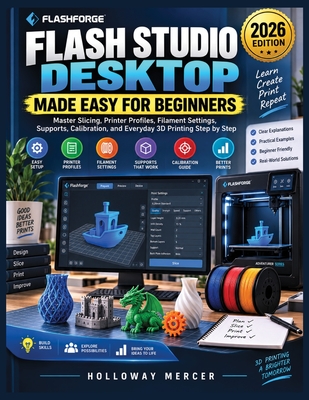
FLASH STUDIO DESKTOP MADE EASY FOR BEGINNERS is a practical step-by-step guide designed to help new Flashforge users understand the software without getting buried in unnecessary technical jargon.
Instead of simply telling you which buttons to click, this book explains what the important settings mean, when they matter, and how they affect your prints.
Starting with installation and workspace navigation, you'll learn how to prepare models, select appropriate printer profiles, configure essential slicing settings, and inspect your results before sending a job to a supported printer.
Inside, you'll discover how to:
Whether you're preparing your first sliced model or trying to understand why a print did not turn out as expected, this guide gives you a structured workflow you can return to whenever you need it.
Spend less time guessing what unfamiliar settings mean and start approaching every project with a clearer understanding of the slicing process.
Open the book, follow the steps, and start building a Flash Studio Desktop workflow you understand and can use project after project.
Log in to write a review for this book.
No reviews yet. Be the first to share your opinion.
Biography not available.