Hughes, James R Author
Biography not available.

Browse all FOLKLORE books
Browse all GARDENS books
Browse all GRAPHIC NOVELS books
Browse all HISTORY - MEDIEVAL books
Browse all HUMOUR books
Browse all Juvenile Fiction : Biographical - Other books
Browse all Juvenile Fiction : Historical - Other books
Browse all Juvenile Fiction : Legends, Myths, & Fables - Other books
Browse all Juvenile Fiction : People & Places - Other books
Browse all Juvenile Fiction : People & Places - United States - Other books
Browse all Juvenile Fiction : Religious - Other books
Browse all Juvenile Nonfiction : History - Other books
Browse all Juvenile Nonfiction : Mathematics - Advanced books
Browse all Juvenile Nonfiction : People & Places - Other books
Browse all Juvenile Nonfiction : People & Places - United States - Othe books
Browse all LITERARY STUDIES books
Browse all LONDON books
Browse all Medical : Nursing - Mental Health books
Browse all MIND books
Browse all MUSEOLOGY books
Browse all NON-CLASSIFIABLE books
Browse all NONLINEAR SCIENCE books
Browse all POPULAR SCIENCE books
Browse all RELIGIOUS STUDIES books
Browse all SPIRIT books
Browse all SPORT books
Browse all TRAVEL WRITING books
 Out of Stock
Paperback · ISBN 9798172507144
Inclusive of GST and other taxes
Arriving at your doorstep in 10-15 days
Our logisitcs team will make sure everyitem is delivered safely
| ISBN | 9798172507144 |
|---|---|
| Publisher | Independently published |
| Publication date | September 2026 |
| Language | English |
| MRP | £13.73 GBP |
| Page count | 114 |
| Item weight | 63 g |
Still guessing your way through LightBurn settings, wasting material, and dreading the moment your laser cuts through when it should only engrave?
If every project feels like trial and error instead of a repeatable process, the problem isn't your machine, it's the missing manual nobody handed you.
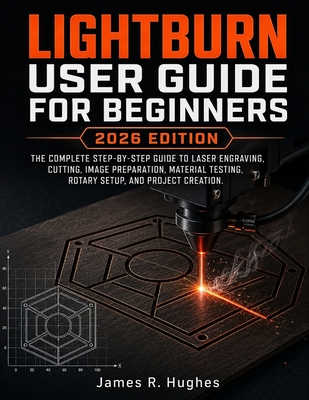
LightBurn User Guide for Beginners 2026 Edition is the complete, step-by-step system for mastering LightBurn from first install to confident, production-ready projects. Updated for 2026, this guide replaces scattered YouTube clips and outdated forum advice with one structured path: setup, design, settings, testing, execution, and troubleshooting in the order you actually need them.
This book is for you if you are:
Inside, you'll learn:
Bonus highlights included:
Every chapter builds on the last, moving you from confusion to confidence with clear instructions and no wasted steps.
Scroll up, Click BUY NOW to grab your copy, and start creating with precision today.
Log in to write a review for this book.
No reviews yet. Be the first to share your opinion.
Biography not available.