M. Langford, Trevor Author
Biography not available.

Browse all FOLKLORE books
Browse all GARDENS books
Browse all GRAPHIC NOVELS books
Browse all HISTORY - MEDIEVAL books
Browse all HUMOUR books
Browse all Juvenile Fiction : Biographical - Other books
Browse all Juvenile Fiction : Historical - Other books
Browse all Juvenile Fiction : Legends, Myths, & Fables - Other books
Browse all Juvenile Fiction : People & Places - Other books
Browse all Juvenile Fiction : People & Places - United States - Other books
Browse all Juvenile Fiction : Religious - Other books
Browse all Juvenile Nonfiction : History - Other books
Browse all Juvenile Nonfiction : Mathematics - Advanced books
Browse all Juvenile Nonfiction : People & Places - Other books
Browse all Juvenile Nonfiction : People & Places - United States - Othe books
Browse all LITERARY STUDIES books
Browse all LONDON books
Browse all Medical : Nursing - Mental Health books
Browse all MIND books
Browse all MUSEOLOGY books
Browse all NON-CLASSIFIABLE books
Browse all NONLINEAR SCIENCE books
Browse all POPULAR SCIENCE books
Browse all RELIGIOUS STUDIES books
Browse all SPIRIT books
Browse all SPORT books
Browse all TRAVEL WRITING books
 Out of Stock
Paperback · ISBN 9798173227096
Inclusive of GST and other taxes
Arriving at your doorstep in 10-15 days
Our logisitcs team will make sure everyitem is delivered safely
| ISBN | 9798173227096 |
|---|---|
| Publisher | Independently published |
| Publication date | September 2026 |
| Language | English |
| MRP | £15.49 GBP |
| Page count | 268 |
| Item weight | 139 g |
Are you ready to use Bambu Studio without feeling overwhelmed by unfamiliar settings, confusing menus, and technical 3D-printing terminology?
Do you want to understand what your slicing settings actually do instead of changing values and hoping your print turns out right?
Would you like a practical guide that takes you from importing your first model to preparing, slicing, calibrating, troubleshooting, and managing more advanced print jobs with confidence?
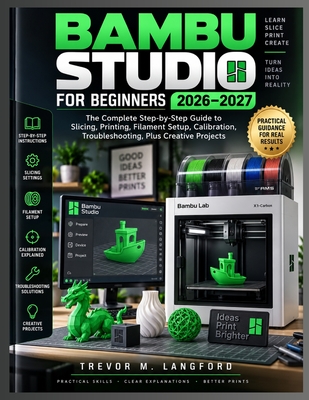
BAMBU STUDIO FOR BEGINNERS 2026-2027 is a practical, step-by-step guide created for users who want to understand Bambu Studio and build a reliable 3D-printing workflow.
Instead of burying you in unexplained technical language, this guide breaks important tools and processes into clear, manageable steps. You will learn not only where key functions belong in the workflow, but also why they matter and what to inspect before committing time and filament to a print.
Inside, you'll discover how to:
Whether you are opening Bambu Studio for the first time or you already print but want a more structured understanding of the software, this guide gives you a practical reference you can return to whenever a setting or workflow becomes unclear.
Stop guessing your way through the slicer. Build a clearer, more organized 3D-printing workflow from the beginning.
Get your copy of BAMBU STUDIO FOR BEGINNERS 2026-2027 today and start exploring Bambu Studio one practical step at a time.
Log in to write a review for this book.
No reviews yet. Be the first to share your opinion.
Biography not available.