Fletcher, Hudson Author
Biography not available.

Browse all FOLKLORE books
Browse all GARDENS books
Browse all GRAPHIC NOVELS books
Browse all HISTORY - MEDIEVAL books
Browse all HUMOUR books
Browse all Juvenile Fiction : Biographical - Other books
Browse all Juvenile Fiction : Historical - Other books
Browse all Juvenile Fiction : Legends, Myths, & Fables - Other books
Browse all Juvenile Fiction : People & Places - Other books
Browse all Juvenile Fiction : People & Places - United States - Other books
Browse all Juvenile Fiction : Religious - Other books
Browse all Juvenile Nonfiction : History - Other books
Browse all Juvenile Nonfiction : Mathematics - Advanced books
Browse all Juvenile Nonfiction : People & Places - Other books
Browse all Juvenile Nonfiction : People & Places - United States - Othe books
Browse all LITERARY STUDIES books
Browse all LONDON books
Browse all Medical : Nursing - Mental Health books
Browse all MIND books
Browse all MUSEOLOGY books
Browse all NON-CLASSIFIABLE books
Browse all NONLINEAR SCIENCE books
Browse all POPULAR SCIENCE books
Browse all RELIGIOUS STUDIES books
Browse all SPIRIT books
Browse all SPORT books
Browse all TRAVEL WRITING books
 Out of Stock
Paperback · ISBN 9798175638272
Inclusive of GST and other taxes
Arriving at your doorstep in 10-15 days
Our logisitcs team will make sure everyitem is delivered safely
| ISBN | 9798175638272 |
|---|---|
| Publisher | Independently published |
| Publication date | September 2026 |
| Language | English |
| MRP | £9.70 GBP |
| Page count | 122 |
| Item weight | 39 g |
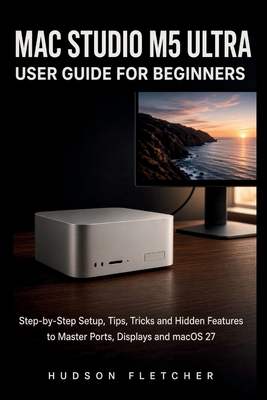
You unpacked a quiet silver box that cost as much as a used car. The screen is dark. The ports look identical. Setup Assistant is already asking questions you do not want to guess at.
This handbook walks you from that first power button to a desk you can trust. You will place the computer so it stays cool, choose the right cable for speed, connect one screen or several, and finish macOS 27 Golden Gate without rushing the account that locks the whole machine. If you are new to Apple, the early chapters translate the desktop, Dock, Finder, and Spotlight into plain language. If you already edit, design, compose, compile, or run local models, later chapters use the same calm voice for Thunderbolt 5, display layouts, scratch disks, unified memory, and the difference between a fast chip and a full SSD.
Inside you will learn how to build a folder system that still makes sense in six months, how iCloud sync is not the same as a backup, and how Time Machine plus an offsite copy protects work you cannot shoot again. You will use Safari, Photos, Siri AI, and Shortcuts as tools, not as a second job. You will read Activity Monitor, keep login items lean, and know the first move when a display says no signal or the Mac will not boot.
No fake badges. No promise that a paragraph will put any listing on page one. What you get is a clear path: setup, ports, screens, daily macOS, files, apps, performance, real workflows, then security and repair.
If the computer is already on your desk and you want it to feel like a tool instead of a test, start now and keep the machine beside the book. When you are ready, use the Look Inside preview, then get your copy and do the first setup the slow, correct way.
To get a Copy of the book, click the "BUY NOW BUTTON" OR "ADD TO CART!!!
Log in to write a review for this book.
No reviews yet. Be the first to share your opinion.
Biography not available.