Mateo, Bianca Author
Biography not available.

Browse all FOLKLORE books
Browse all GARDENS books
Browse all GRAPHIC NOVELS books
Browse all HISTORY - MEDIEVAL books
Browse all HUMOUR books
Browse all Juvenile Fiction : Biographical - Other books
Browse all Juvenile Fiction : Historical - Other books
Browse all Juvenile Fiction : Legends, Myths, & Fables - Other books
Browse all Juvenile Fiction : People & Places - Other books
Browse all Juvenile Fiction : People & Places - United States - Other books
Browse all Juvenile Fiction : Religious - Other books
Browse all Juvenile Nonfiction : History - Other books
Browse all Juvenile Nonfiction : Mathematics - Advanced books
Browse all Juvenile Nonfiction : People & Places - Other books
Browse all Juvenile Nonfiction : People & Places - United States - Othe books
Browse all LITERARY STUDIES books
Browse all LONDON books
Browse all Medical : Nursing - Mental Health books
Browse all MIND books
Browse all MUSEOLOGY books
Browse all NON-CLASSIFIABLE books
Browse all NONLINEAR SCIENCE books
Browse all POPULAR SCIENCE books
Browse all RELIGIOUS STUDIES books
Browse all SPIRIT books
Browse all SPORT books
Browse all TRAVEL WRITING books
 Out of Stock
Paperback · ISBN 9798175831550
Inclusive of GST and other taxes
Arriving at your doorstep in 10-15 days
Our logisitcs team will make sure everyitem is delivered safely
| ISBN | 9798175831550 |
|---|---|
| Publisher | Independently published |
| Publication date | September 2026 |
| Language | English |
| MRP | £14.18 GBP |
| Page count | 98 |
| Item weight | 28 g |
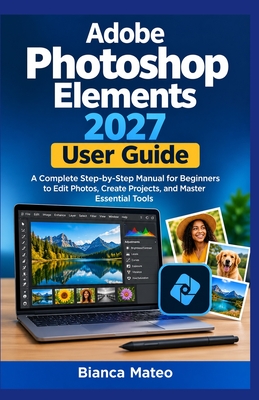
Adobe Photoshop Elements 2027 User Guide is a practical, step-by-step manual designed to help beginners build confidence with photo editing, organization, creative projects, and essential Photoshop Elements tools. Whether you are working with family photographs, travel pictures, portraits, or everyday images, this guide provides a structured path from the basics to more advanced editing techniques.
Starting with installation, setup, and an introduction to the Photoshop Elements workspace, the book explains how to navigate the Organizer and Photo Editor, import and organize photographs, manage albums and tags, and understand important image concepts such as pixels, resolution, aspect ratios, color modes, and file formats.
You will learn how to work confidently with selections, cropping, layers, backgrounds, resizing, transformations, color correction, exposure, and essential editing tools. The guide also covers practical retouching techniques for portraits, including removing blemishes, correcting red eyes, improving lighting, removing unwanted objects, and preserving a natural appearance.
For photographers and creative users, the book explores techniques for improving landscape, travel, and outdoor photographs, as well as adding text, shapes, graphics, filters, artistic effects, and selective adjustments. It also introduces guided edits and automatic features, helping users understand how assisted editing can simplify common tasks.
Beyond individual photo editing, this guide covers creative projects such as collages, slideshows, greeting cards, invitations, calendars, photo books, and other printable memories. It also addresses RAW photographs and advanced image adjustments, along with exporting, printing, sharing, backups, catalog management, and file organization.
Practical troubleshooting guidance helps readers address common installation, startup, performance, importing, saving, exporting, printing, and file-format problems. The final chapter brings the skills together, encouraging readers to develop an efficient personal editing workflow and strengthen their abilities through regular practice.
Whether you are completely new to photo editing or want a convenient reference for Photoshop Elements 2027, Adobe Photoshop Elements 2027 User Guide provides a clear and practical foundation for editing, organizing, creating, preserving, and sharing your photographs.
Log in to write a review for this book.
No reviews yet. Be the first to share your opinion.
Biography not available.