BLADEN, SEAN Author
Biography not available.

Browse all FOLKLORE books
Browse all GARDENS books
Browse all GRAPHIC NOVELS books
Browse all HISTORY - MEDIEVAL books
Browse all HUMOUR books
Browse all Juvenile Fiction : Biographical - Other books
Browse all Juvenile Fiction : Historical - Other books
Browse all Juvenile Fiction : Legends, Myths, & Fables - Other books
Browse all Juvenile Fiction : People & Places - Other books
Browse all Juvenile Fiction : People & Places - United States - Other books
Browse all Juvenile Fiction : Religious - Other books
Browse all Juvenile Nonfiction : History - Other books
Browse all Juvenile Nonfiction : Mathematics - Advanced books
Browse all Juvenile Nonfiction : People & Places - Other books
Browse all Juvenile Nonfiction : People & Places - United States - Othe books
Browse all LITERARY STUDIES books
Browse all LONDON books
Browse all Medical : Nursing - Mental Health books
Browse all MIND books
Browse all MUSEOLOGY books
Browse all NON-CLASSIFIABLE books
Browse all NONLINEAR SCIENCE books
Browse all POPULAR SCIENCE books
Browse all RELIGIOUS STUDIES books
Browse all SPIRIT books
Browse all SPORT books
Browse all TRAVEL WRITING books
 Out of Stock
Paperback · ISBN 9798176007985
Inclusive of GST and other taxes
Arriving at your doorstep in 10-15 days
Our logisitcs team will make sure everyitem is delivered safely
| ISBN | 9798176007985 |
|---|---|
| Publisher | Independently published |
| Publication date | September 2026 |
| Language | English |
| MRP | £12.69 GBP |
| Page count | 164 |
| Item weight | 51 g |
Your Flipper Zero can do far more than you think. The real question is: do you know how to use it?
Maybe you have just taken your Flipper Zero out of the box and the menus, frequencies, protocols and unfamiliar terms already feel overwhelming. Or perhaps you have owned one for a while, explored a few features, and realised you are barely scratching the surface.
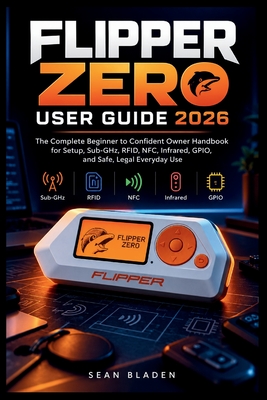
FLIPPER ZERO USER GUIDE 2026 is a practical, beginner-friendly guide designed to take you from first setup to confident everyday use without drowning you in unnecessary technical jargon.
Instead of simply telling you what each button does, this guide helps you understand how Flipper Zero works, what its major technologies actually mean, and how to develop useful hands-on skills through clear explanations, structured walkthroughs, troubleshooting guidance and safe practice projects.
Start with the essentials. Learn how to set up your device correctly, choose and configure a microSD card, navigate menus, update firmware, use qFlipper, connect the mobile app, organise files, create backups and keep your device running smoothly.
Then go deeper.
Discover the fundamentals behind Sub-GHz radio, 125 kHz RFID, NFC, infrared, iButton, Bluetooth, USB automation and GPIO. Learn the difference between RFID and NFC, understand frequencies and protocols, explore compatible tags and remotes you own, work with supported signals, connect external hardware safely and understand what the information displayed on your Flipper actually means. These are among the core technologies and applications supported by the current Flipper Zero ecosystem.
Inside this guide, you'll discover how to:
And when something doesn't work, you won't be left guessing.
A dedicated troubleshooting section helps you work through common problems such as failed firmware updates, microSD errors, Bluetooth connection issues, unresponsive apps, unreadable tags, infrared problems, USB automation errors and GPIO mistakes.
You will also find quick-reference material, practical checklists, terminology explanations, technology comparisons and a 30-day learning challenge designed to help you keep practising instead of forgetting everything after finishing the book.
Whether you're a first-time Flipper Zero owner, electronics hobbyist, maker, cybersecurity student, technology enthusiast or simply someone fascinated by the invisible signals surrounding everyday devices, this guide gives you a structured path for learning at your own pace.
No previous electronics or cybersecurity experience is required.
No need to jump between dozens of disconnected tutorials just to understand the basics.
Just clear explanations, practical learning and responsible experimentation with devices and systems you own or are authorised to test.
Stop leaving most of your Flipper Zero unexplored.
Turn it on, understand what you're looking at, build your skills one feature at a time, and discover what this remarkable pocket-sized technology platform can teach you.
Scroll up and get your copy of FLIPPER ZERO USER GUIDE 2026 today and start exploring your Flipper Zero with confidence.
Log in to write a review for this book.
No reviews yet. Be the first to share your opinion.
Biography not available.